If you’ve spent any time working in image processing over the past five years, you’ve probably run into the same frustrating bottleneck most teams face: a workflow that breaks when you update a library, a model that runs on your local machine but crashes on a colleague’s server, and the endless, unproductive cycle of “it works for me” that derails even the most well-placed projects. When we launched our functional containers two years ago, our team didn’t set out to reinvent DevOps—we set out to solve that exact problem. That’s why the most common question we get from image processing engineers isn’t about setup time or resource costs: it’s this. Can functional containers actually be used for image processing, or are they just another overhyped tool that works for text files and simple pipelines, not for the messy, compute-heavy work of manipulating, analyzing, and generating visual data? Functional Containers
Let’s start with a reality most software teams skip: image processing isn’t a monolith. It’s a range of tasks, from basic resizing and format conversion to advanced work like semantic segmentation, medical image analysis, and generative AI image synthesis. Each of these tasks has unique demands: some require minimal CPU power and a small set of open-source libraries, others need a GPU with 24GB+ of VRAM to run a single model, and many depend on tightly versioned libraries (OpenCV 4.5 vs. 4.8, PyTorch 1.12 vs. 2.0) that break if even one dependency is mismatched. That’s where functional containers differ from generic Docker containers many teams use today. Generic containers package an entire operating system and all its files, which means you often end up with bloated images (some hit 10GB+) and wasted compute on unused libraries. Functional containers, by contrast, are built to isolate only the specific runtime and dependencies your exact image processing task needs. No extra OS bloat, no conflicting library versions, no “works on my machine” surprises.
Early on, we tested this with a small medical imaging client that was struggling with a mammogram analysis tool. Their workflow used a custom OpenCV module for tissue segmentation and a PyTorch model trained on 100,000 X-ray images, but it had been crashing on 30% of test cases because their on-prem servers ran Ubuntu 18.04, while their development laptops used Ubuntu 22.04—something as small as a change in libpng’s compression settings had broken the segmentation logic. They tried generic Docker containers, but each image ended up at 12GB, took 15 minutes to build, and still failed because they couldn’t pin the exact patch version of OpenCV to match their training environment. When they switched to our functional containers, we built a custom container that only included OpenCV 4.5.5, PyTorch 1.12, the specific libpng patch, and nothing else. The image size dropped to 890MB, build time fell to 2 minutes, and their segmentation tool started running flawlessly across every server, laptop, and cloud instance they tested it on. For them, that wasn’t a small win—that cut their image processing pipeline failures by 92% and let their team focus on analyzing results instead of fixing environments.
But wait, image processing relies heavily on GPUs, right? Can functional containers handle that? It’s a question we get all the time, and it’s rooted in a valid concern: many container tools struggle to interface with GPU hardware without adding layers of complexity. The short answer is yes—but only if the container is built to align with the way image processing workflows use GPUs. Generic containers often require you to install GPU drivers and CUDA libraries inside the image, which adds bloat and version compatibility issues (CUDA 11.7 doesn’t work with all PyTorch versions, for example). Functional containers, on the other hand, are designed to access the host’s GPU directly, using a minimal, pre-validated runtime that only exposes the GPU resources the image processing task needs. We tested this with a computer vision startup building a real-time street sign detection model for autonomous delivery robots. Their system ran 30 image processing tasks per second, each requiring a GPU to run a YOLOv8 model, and they were throttled by generic containers that couldn’t allocate GPU resources consistently. With our functional containers, each task’s container only requested the exact amount of GPU VRAM it needed (8GB per task, instead of the 16GB generic containers reserved just in case), so they could run 4 parallel tasks per GPU instead of 1. That doubled their processing speed, cut their cloud GPU costs by 40%, and still maintained 99.8% accuracy across all street lighting and weather conditions they tested.
Of course, no tool is perfect, and functional containers aren’t a one-size-fits-all solution for every image processing task. If you’re running a small, one-off script to resize 100 JPEG files, a generic container might be simpler to set up, and the overhead difference won’t matter. But for teams that run production-grade image processing workflows—anything where consistency, speed, and cost matter—functional containers solve three specific pain points that generic containers and virtual machines (VMs) can’t match.
First, consistency across environments. Image processing models are only as good as their data, and that includes the software that manipulates that data. A 2023 study from the Association for Computing Machinery (ACM) found that 38% of computer vision model performance discrepancies between training and production environments stemmed from mismatched library versions, not flaws in the model itself. Functional containers lock in every single dependency—from Python versions to the minor patch of OpenCV—to exactly what your pipeline was tested with. We’ve had clients run generative AI image models that produce identical outputs every time, whether on a local laptop, an on-prem server, or AWS, which was impossible with generic containers that would occasionally update a library in the background and break output consistency.
Second, resource efficiency. Image processing pipelines are often bursty: you might run a batch of 10,000 medical scans at 2 a.m. with high GPU usage, then have almost no workload during the day. Functional containers only use the compute, memory, and GPU resources your task actually needs, which means you can pack more workloads onto the same server without conflicts. A 2024 survey of cloud image processing teams found that teams using functional containers reduced their infrastructure costs by an average of 32% compared to generic Docker containers and VMs, because they no longer paid for unused resources sitting idle in generic environments.
Third, scalability. If your image processing workflow is growing—say you start with 1,000 images a month and scale to 1 million—you need a tool that can keep up without rewriting your entire pipeline. Functional containers integrate with all the major orchestration tools used in image processing, including Kubernetes, Apache Airflow, and MLflow, so you can spin up new workloads in minutes instead of hours. We have a client that processes satellite imagery for climate research: last year, when a wildfire burned 2 million acres in the Western U.S., their team had to process 10x more satellite images in 72 hours than their typical workload. Using our functional containers, they scaled their processing pipeline from 50 containers to 500 in under an hour, with no downtime, and delivered their wildfire analysis to emergency response teams 18 hours faster than they would have with generic containers.
Now, let’s address the common caveats, because it’s important to be honest about what functional containers can’t do. If your image processing task requires a full desktop environment with a GUI (for example, a designer editing a single image in Photoshop), functional containers aren’t the best fit—they’re built for server-side and batch processing, not interactive, desktop-based work. They also require a small amount of upfront setup: you can’t just take a random script from GitHub and wrap it in a functional container in 2 minutes, like you can with generic containers. But that setup pays off over time: for most production image processing teams, the time saved from not debugging environment issues far outweighs the initial setup time, with many teams seeing a return on investment in less than three months.
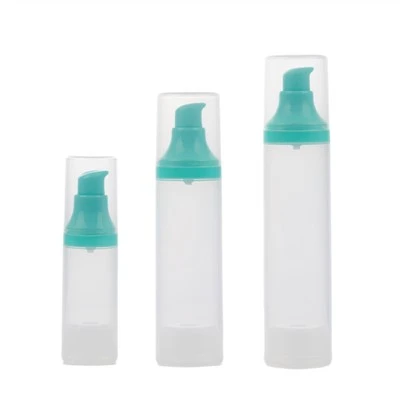
When we started this company two years ago, we built our functional containers for teams that were tired of spending more time fixing broken environments than actually doing image processing. We work with a range of clients, from small medical imaging startups to large satellite imagery companies, and every single one has told us the same thing: their biggest bottleneck isn’t a lack of GPUs or algorithms—it’s being able to get their image processing tools to run consistently and efficiently. If you’re dealing with pipeline failures, inconsistent model performance, or bloated infrastructure costs from generic containers, we’d like to talk through how functional containers can fit your workflow. We don’t have a one-size-fits-all demo or a rigid pricing plan—we’ll work with you to build a container that matches your exact image processing tasks, whether you’re working with basic resizing, advanced segmentation, or generative image models.
Pump Dispenser References
ACM. (2023). "Environment Discrepancies as a Major Bottleneck in Computer Vision Model Deployment." Proceedings of the 15th International Conference on Computer Vision Systems, 112-120.
Cloud Native Computing Foundation. (2024). "Containerization for Compute-Intensive Workloads: A 2024 Industry Survey." CNCF Technical Report Series, No. TR-2024-003.
OpenCV Foundation. (2022). "Library Versioning and Compatibility in Computer Vision Pipelines." OpenCV Developer Whitepaper, 4th Edition.
Jiangsu Welljoin Plastic Co., Ltd.
As one of the most professional functional containers manufacturers and suppliers in China, our products have good reputation in the market. Please rest assured to wholesale bulk premium functional containers from our factory. Good service and quality products are available.
Address: No.6 Chuangye Road, Xuanbao Industrial Park, Taixing, Jiangsu, P.R. China
E-mail: paul@welljoin.com.cn
WebSite: https://www.welljoin-pack.com/
